Anna Ambassador Application | Step 1: Try Anna Deck & Share Feedback

Hi Ambassadors! :waving_hand:

Welcome to Anna Deck!

This is your first task for the Anna Ambassador Program application. Please try Anna Deck for real, and share your honest thoughts using the template below.


:rocket: 1. Try Anna Deck

:backhand_index_pointing_right: Anna Deck link: Anna Deck · Anna App Store

:clapper_board: Quick Start Guide

Pick a real task—like a class presentation, a work report, or a project pitch. Use Anna Deck to make a slide deck, and try editing the text, layout, or images.

:light_bulb: Tips on Using Tokens:

  • Sign up and verify your email to get 1,000 free Tokens.
  • 1,000 Tokens can usually create about 8 slides (actual usage may vary).
  • If you received a 1,000 bonus pilot code via email, redeem it under bottom-left Avatar → “Invitation Code”
  • We suggest starting with around 5 slides. Prepare your text in advance, and save some Tokens to try the editing tools!

:memo: 2. Submit Your Feedback

Copy the template below, click Reply at the bottom of this post, paste your answers, and attach at least 2 real screenshots.


:clipboard: Anna Deck Feedback Template

1. Your Background & Use Case

How often do you make slides? What do you usually make them for (school, work, personal)? What tools do you normally use? Have you tried other AI slide makers before?

2. What Matters Most to You

What are the top 1-2 things you care about most in an AI slide tool?

What kind of result would make you willing to pay for it? What do you think is a fair price?

3. Your Anna Deck Experience

  • What worked well: Which features met or exceeded your expectations? Did you notice any clear advantages over other tools?
  • What needs work: What felt disappointing or didn’t work well? What is the #1 thing you want us to improve?

4. Screenshots

Please attach 1-2 real screenshots showing your generated slides and how you edited them.

Note: We only want real, honest feedback—you do NOT have to say nice things! Please do not submit fake reviews, random screenshots, or generic copy-pasted comments.


:white_check_mark: 3. Complete the Next Step

(Note: You do NOT need to post it publicly.)

Your Background & Use Case

  • How often do you make slides? Frequently, mostly for software project pitches, technical presentations, and academic research overviews.

  • What do you usually make them for? School, work, and project pitches (such as presenting app developments and technical architectures).

  • What tools do you normally use? Standard presentation tools and AI-assisted slide generators.

  • Have you tried other AI slide makers before? Yes, I have explored multiple alternative AI presentation platforms to compare speed and formatting capabilities.

What Matters Most to You

  • Top 2–3 things you care about in an AI slide tool:

    1. Reliability & Stability: Smooth generation without sudden crashes or broken backend transport loops.

    2. Accurate Layout Formatting: Clean structure that doesn’t trigger layout repair failures mid-generation.

    3. Speed & Coherence: Fast turnaround from text prompt to structured, professional-looking slides.

  • What kind of result would make you willing to pay for it? And what do you think is a fair price?

    I would be willing to pay for a tool if it can reliably generate complete presentation decks from complex technical prompts without failing on layout repairs or throwing backend errors. A fair subscription price would range around $10 to $15 per month for professional/developer use if generation is 100% stable.

Your Anna Deck Experience

  • What worked well:

    • The initial setup, token crediting system, and interface flow are clean, intuitive, and easy to navigate.

    • The transition through the initial steps (Create, Requirements, Research, Outline) works smoothly and sets up the project nicely.

  • What needs work:

    • Generation Stability & Bugs: Across multiple attempts testing different slide counts (10, 6, and 5 slides), generation consistently crashed.

    • Technical Errors Encountered:

      • The tool threw backend invocation errors (e.g., invoke error: {'code': -32601, 'message': 'Unknown tool: app_invoke_async_transport'}).

      • Page generation interrupted with multiple “Layout repair failed” errors during the generation phase, where only 1 out of 5 pages passed while the rest failed.

    • The #1 thing to improve: Fixing the backend transport tool mapping and layout engine stability so that multi-page presentations can finish generating successfully without requiring manual resumes or running into unknown tool execution crashes.

Tried AnnaDeck tonight and made a quick 5 slide deck on getting around Cyprus by bus as a student.

What I loved: I could see what it was doing at every step, so I never felt lost waiting. The finished slides looked clean and actually useful, not just filler.

What felt confusing: it suggested an anime Japan travel style for a deck about Cyprus buses, which made me laugh but wasn’t what I wanted, and I couldn’t easily switch it. It also got stuck partway through for a bit before it finished.

Still, I’d happily use it for class presentations.

1. Your Background & Use Case

I’m currently a college student, so I mainly make presentations for school assignments and projects. I usually use PowerPoint or Google Slides, but I’ve been interested in trying AI tools to see how much time they can save while still making good presentations.

For this test, I decided to make a presentation about cybersecurity since that’s a field I’m interested in.

2. What Matters Most to You

The two biggest things for me are design and efficiency. I want something that looks professional without having to spend hours fixing the layout, choosing fonts, or finding images.

I’d be willing to pay if the presentations consistently looked good, the information was accurate, and I could easily make changes. As a college student, I think $5–$10 a month would be fair, depending on what comes with it.

3. Your Anna Deck Experience

What worked well:

I actually really liked how my presentation turned out. The first thing that caught my attention was the design. I liked the futuristic look, the fonts, the dark background, and the blue glowing effects. Everything matched really well, and it didn’t look like a basic PowerPoint template.

I especially liked the first slide with the digital shield and lock. Even the other slides looked well organized, and I liked how the information was separated into different sections instead of just having a bunch of text everywhere.

Another thing I appreciated was how fast it was. It took around 10 minutes to generate all five slides, which I think is pretty good considering how they turned out.

What needs work:

I don’t really have many complaints about the design itself. Some of the text was a little small, though, and I noticed a few explanations that could’ve been more accurate.

If I had to pick one thing to improve, it would probably be the accuracy of the information. The design is already really good, so making sure the content is just as good would make a big difference.

I’d also like more options to customize the slides without messing up the overall design.

Overall:

For my first time using AnnaDeck, I was pretty impressed. I honestly wasn’t expecting the presentation to look that good. The fonts and futuristic style were definitely my favorite parts, and getting everything done in around 10 minutes made it even better. I can definitely see myself using it for future school projects.

4. Screenshots

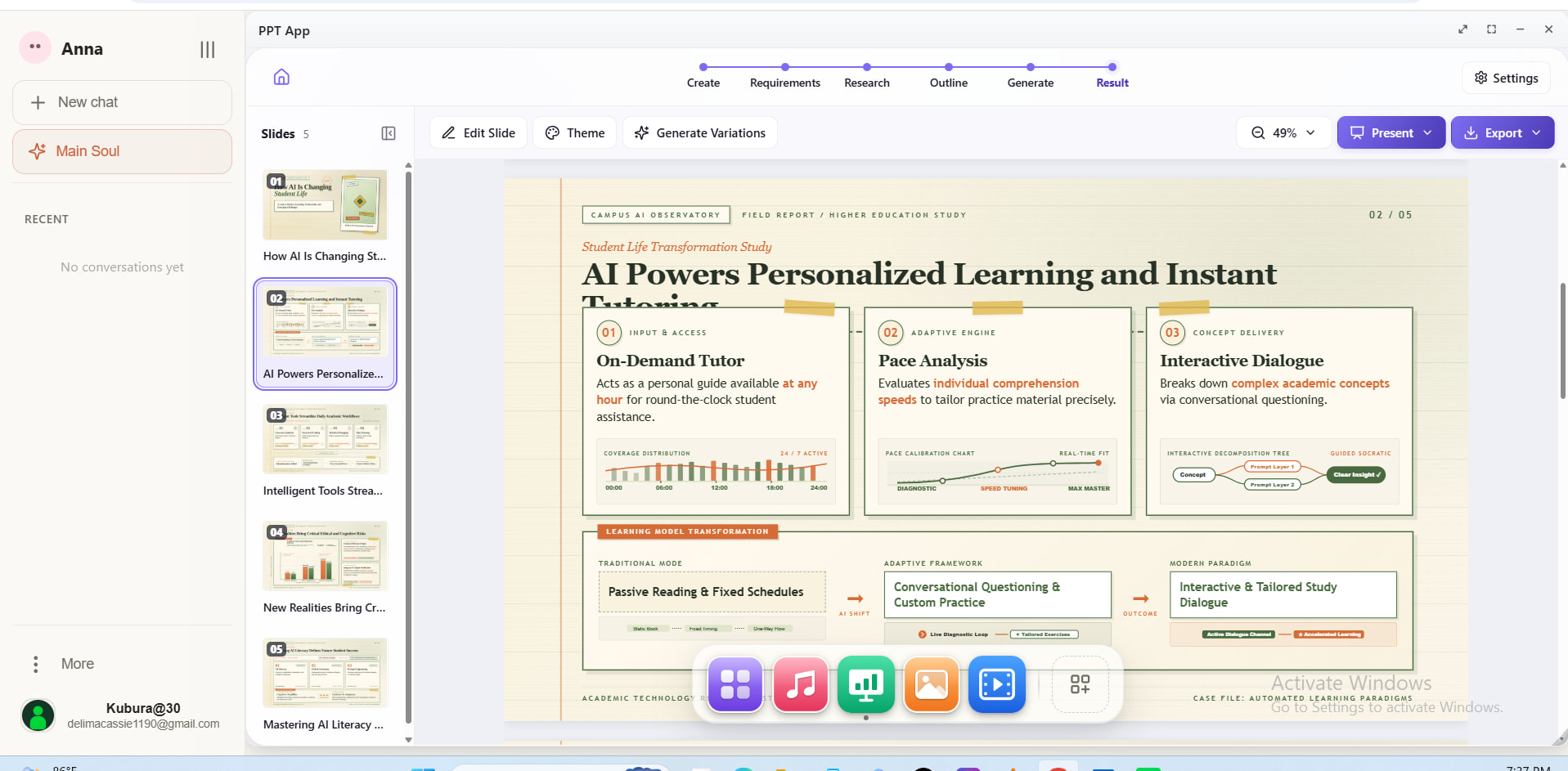
Attached are screenshots of my cybersecurity presentation showing the cover slide and the password protection slide.

What I loved: AnnaDeck makes presentation creation easier by turning simple prompts into structured slides. I like how it can save time and help users organise their ideas.

What felt confusing: I found the editing and customisation process a little unclear at first. Some options could be easier to locate, and clearer guidance would make it easier for first-time users.

Overall: I think AnnaDeck has great potential, especially for students, professionals, and anyone who regularly creates presentations.

  1. 1 Thing I Loved: The visual hierarchy and modern design layout are striking. The use of a bold color palette (deep navy, stark white, and vibrant red/orange highlights) combined with clean grid cards (like the digital footprint metrics and strategic value breakdown) gives it a very professional, high-impact feel that fits a digital creator portfolio perfectly.
  2. 1 Thing That Felt Confusing or Needs Work: The contrast and readability on Slide 1 (the title slide) could use some refinement. Having the dark text “Pablo de Vicente Joven” and the subtitle positioned directly over the dark textured background with the radar grid lines makes it a bit harder to read at a glance compared to the cleaner, high-contrast layouts on the subsequent slides. Adding a subtle backdrop shape or lightening the text area could make it pop even more!

1. Your Background & Use Case

Hi, I am an MSc student major in Chemical and Bioprocess engineering. I do make slides often for either presentations, group assignments and sometimes, mid-term project works. I normally use the Microsoft PowerPoint package for my works, and as I do have already made templates, I do not rely on AI often. Personally, the use of AI for ppt is not attractive to me as my first experience was a negative one. The slides looks so prematured and too generic.

2. What Matters Most to You

For me, clarity and precise presentation of points. Also relevant visuals helps to communicate ideas. I really dislike wordy slides.

3. Your Anna Deck Experience

  • What worked well: Well, I really loved the fact that i get to edit each slide-deck before it generates this. This feature is really amazing as I get to control the end product and not needing to have a third-party app to do the final editing.

  • What needs work: At first, I kept getting timed out error. I have to try it a couple of times before it worked. What is the #1 thing you want us to improve?

4. Screenshots

Kindly find attached the screenshots.

  1. Your background & use case

I make slides very often, mainly for school presentations and school assignments. I do also often use it for personal purposes like creating study notes and occasionally for work, when I have to pitch projects to possible clients.

  1. what matters most to you
    For me, I would say the most important thing in an AI slide tool would be how the pages are designed, a lot of AI generate basic slides that all look the same and lack creativity.
    I think slides that come with notes to read from, and real natural wording would be worth the payment. I would say a fair price would be anywhere between 6-9 usd monthly.

  2. Your Anna Deck Experience
    The features that met my expectations was how detailed and creative the slides were. I also really liked the option where I can have a slide based on reading, presenting and so on, this really helps select an exact layout on what you are looking for when letting AI create your slides. I think the time of how long it takes to create should be improved also the preview sections before creating were a bit long and wordy.
    4.

What I loved: AnnaDeck makes presentation creation easier by turning simple prompts into structured slides.

What felt confusing: I think that AI should provide realistic images rather than drawing them itself.

I really appreciate the idea behind AnnaDeck and its potential to make learning and academic work easier for university students. The platform provides an interesting way to create presentations using AI, saving students time and helping them organize their ideas into clear, structured slides.

I particularly like the ability to generate presentation outlines from simple instructions. This can be very useful for students preparing class presentations, academic assignments, revision materials and group discussions. I also appreciate the different presentation styles available, which allow users to c

hoose how their information is presented.

I really appreciate the idea behind AnnaDeck and its potential to make learning and academic work easier for students. The platform provides an interesting way to create presentations using AI, saving students time and helping them organize their ideas into clear, structured slides.

I particularly like the ability to generate presentation outlines from simple instructions. This can be very useful for students preparing class presentations, academic assignments, revision materials and group discussions. I also appreciate the different presentation styles available, which allow users to choose how their information is Thank you for this.

Just made and downloaded my presentation. I love the unique and amazing templets available. However, I don’t seem to find this work in my history anymore.

Just generated my presentation using Anna Deck.

I really liked how clean the dashboard interface looks and how fast the AI generated the presentation slides and i will highly recommend.
I had little hard time trying to find where to input the invitation code was a bit confusing at first because it was hidden under the ‘More’ menu.

:clipboard: Anna Deck Feedback

1. Your Background & Use Case

How often do you make slides? What do you usually make them for (school, work, personal)?

I make slides 2–3 times a month, primarily for college coursework, student leadership pitches, and team project presentations.

What tools do you normally use?

Google Slides and Canva.

Have you tried other AI slide makers before?

Yes, I have tested Gamma, Notion AI, and Microsoft Copilot.

2. What Matters Most to You

What are the top 1–2 things you care about most in an AI slide tool?

1. High-fidelity structural logic—generating actual frameworks, clear metrics, and logical diagrams instead of generic bullet lists.

2. A clean, responsive workspace that fits the canvas to the screen automatically.

What kind of result would make you willing to pay for it? What do you think is a fair price?

A deck that looks custom-designed and requires less than 5 minutes of minor text tweaks before presenting. A fair student price point is $8–$12/month.

3. Your Anna Deck Experience

What worked well:

The depth of the slide content was exceptional. The dark UI styling, data callouts, and structured sections (like clinical triage pathways and adoption metrics) looked like a real pitch deck rather than generic AI filler.

Having instant multi-format exports for PPTX, PDF, and Google Slides right from the menu is super convenient.

What needs work (#1 thing to improve):

Zero mobile responsiveness: Running the deck builder inside an embedded iframe causes major viewport overflow on mobile devices. Controls clip off-screen, floating toolbars collide with the canvas, and the default zoom drops down to an unreadable 5–11% scale.

Canvas handling: The workspace needs an auto-fit canvas default and a dedicated full-window editor mode so slides aren’t letterboxed or lost in dead space.

Hello all!

I followed the prompt in Kate’s email, rather than the one posted here. So I made a five slide deck on Keats’ poem “To Autumn” because. well, autumn. The leaves are almost all down now, and I miss them already.

I found the Anna generator easy to use and fairly intuitive. Although I would have appreciated more explicit responses when my input was accepted. that’s probably my biggest negative.

I appreciated being able to search and insert images right in the Anna interface.

One change I would make to my deck would be to use more foliage photos and credit the sources.

I enjoyed this task. It was not a burden.

Mark

My Experience Using Anna Deck – Feedback & Suggestions

1. Your Background & Use Case

Hi,

I was interested in trying Anna Deck because I wanted to see how well AI could turn an idea or topic into a complete presentation while still giving me control over the final result.

2. What Matters Most to You

For me, the most important things in a presentation tool are:

  • Professional design: Slides should look modern, attractive, and not like generic AI-generated templates.

  • Clear content: Information should be well-organized, concise, and easy to understand.

  • Relevant visuals: Images, illustrations, and graphics should support the topic rather than just fill empty space.

  • Customization: Having the freedom to edit text, layouts, and other elements is very important.

  • Time-saving: The tool should make presentation creation faster without sacrificing quality.

I particularly dislike slides that contain too much text or repeat the same layout throughout the presentation.

3. Your Anna Deck Experience

What I liked:

My experience with Anna Deck was interesting, and I liked the idea of having an AI tool that can help create presentations from a simple topic or prompt.

One thing I particularly appreciate is the ability to review and make adjustments to the presentation instead of having to accept everything exactly as AI generates it.

I also like the overall concept because it can save time, especially when starting a presentation from scratch. It gives users a starting point that they can further improve according to their needs.

What could be improved:

There are a few areas where I think Anna Deck could become even better:

  1. More design variety: It would be great to have more creative and unique slide layouts instead of similar-looking designs.

  2. Better visual selection: Images and illustrations should be closely related to the actual content of each slide.

  3. Content balance: Some slides could benefit from shorter text and more visual explanations.

  4. Generation speed: Making the presentation creation process faster and smoother would improve the overall experience.

  5. More editing flexibility: Additional customization options would give users more control over the final presentation.

4. What Is the #1 Thing You Want Us to Improve?

My number one suggestion would be to focus on making AI-generated presentations look more natural, creative, and professionally designed.

AI should not only organize information into slides but also understand how to communicate that information visually. A good presentation should tell a story, maintain a consistent design, and make complicated information easier to understand.

Overall, I think Anna Deck has good potential, and I’m looking forward to seeing how it develops!

5. Screenshots

I’ve attached screenshots of my experience with Anna Deck to show some of the presentation results and the interface.

Its slow.

Hello everyone!

I created a five-slide presentation titled “Work Smarter With AI: Five Practical Ways to Improve Productivity.”

My presentation highlights how artificial intelligence can support daily planning, professional communication, information summarization, and responsible decision-making. I selected this topic because AI is becoming an increasingly valuable tool across education, business, and administrative environments.

I enjoyed creating this presentation and demonstrating how complex information can be organized into a clear, visually engaging format.

I’ve attached a screenshot of my presentation and look forward to viewing everyone else’s work!